YAESU FT-817 SMETER READINGS
(2014-02-01)
Preface
My friend Ricardo, EA4GMZ, has a strong interference in several portions of the HF spectrum. Yesterday he was taking notes about interference levels on 28 MHz band using his Yaesu FT-817. He found out that pressing the IPO button or ATT was mandatory for having a useful curve with diferent strenght levels. If not pressed, interference level values were "compressed around S8". We suspected that FT-817 smeter readings were not linnear.
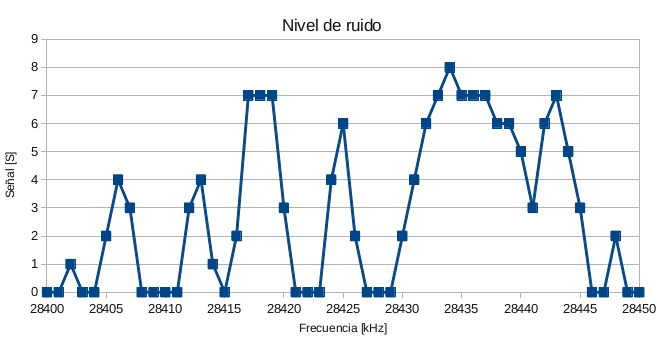
FIGURE0: INTERFERENCE LEVELS SHOWN ON FT-817 SMETER, IPO ON, EA4GMZ STATION WINDOM DIPOLE.
Testing
Test setup was like this:
-Home made DDS signal generator at 28.400 MHz. Output signal level is -9 dBm.
-Home made atenuator with 1, 2, 3, 6, 10, 20, 20, 20, 20 and 20 dB steps.
-103 dBm to -40dBm signal levels were applied to FT-817 receiver input.
-FT-817 tuned on USB mode to give 1 kHz audio tone.
-Smeter readings were taken from FT-817 Smeter display.
The available display SMETER readings are:
S1, S2, S3, S4, S5, S6, S7, S8, S9, S+, S+#, S+##, S+###
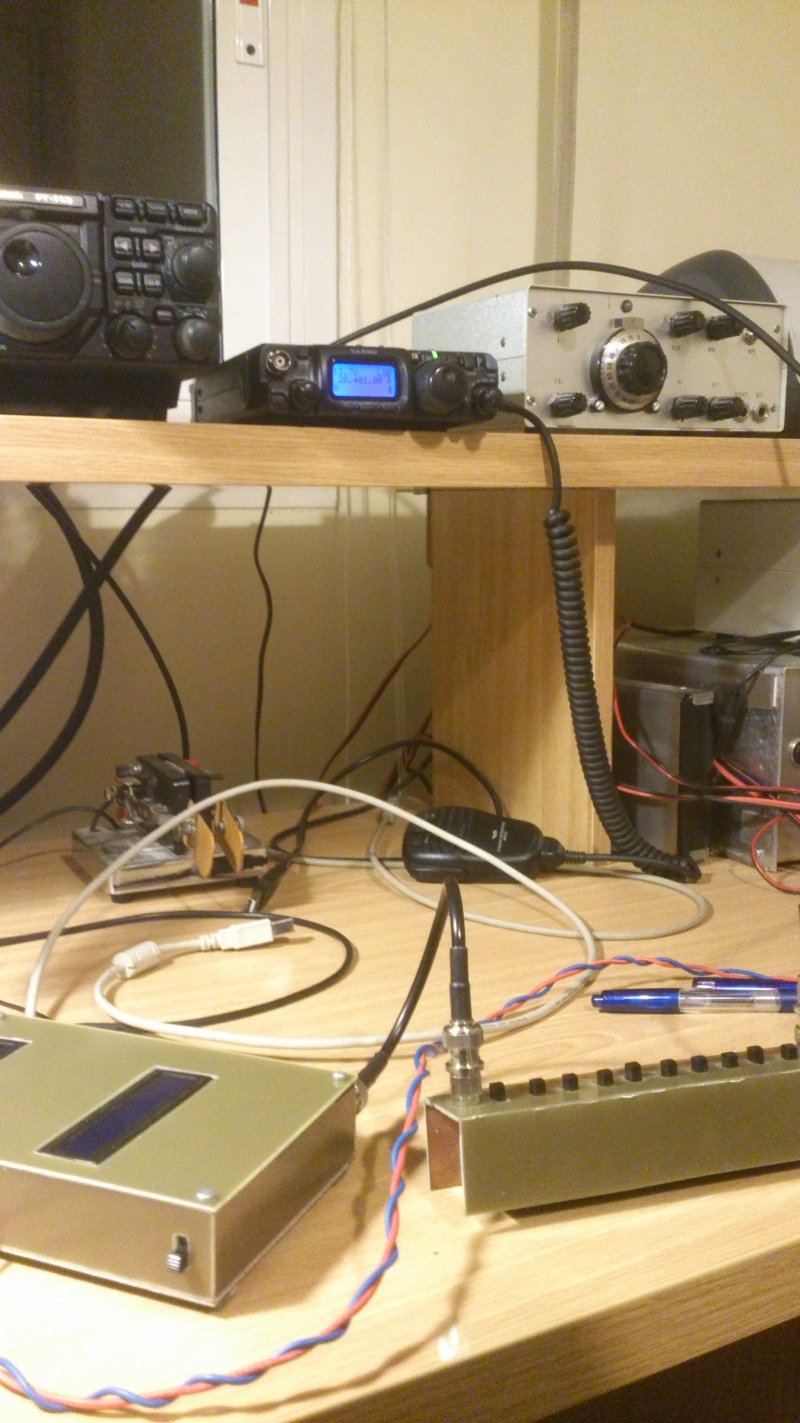
FIGURE1: TEST SETUP.
The results are shown in the next graph:
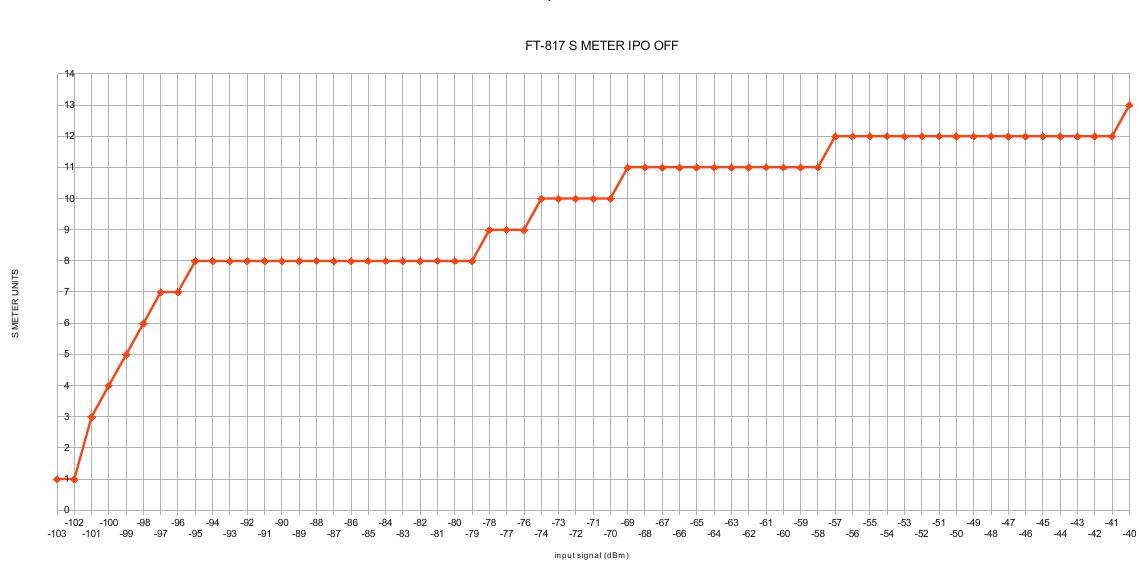
FIGURE2: SMETER READINGS AT AS A FUNCTION OF INPUT SIGNAL LEVELS AT 28.4 MHz.
At levels below S8, we have a S-unit per dB curve. After that, we have an interval of 16 dB input level range that produces a S8 reading. Next three additional dB produces a S9 reading. Following 5 dB read as S+. 12 dB more read as S+#. 17 dB more read as S+##. The last dB increment triggers the S+### level indication.
Smeter calibration is far from the 6dB per S unit standard!